Data Security: What It Means and Why It Matters
Data security is the practice of keeping digital information safe from unauthorized access, corruption, or theft throughout its entire lifecycle. It covers everything from the moment data is created until it is archived or deleted. While the term might sound technical, its impact touches almost every part of modern life — from the photos on your phone to the customer records inside a growing business. Whether you are a freelancer sending an invoice or a publisher storing subscriber details, understanding the basics of data security helps you protect what matters most.
Under the broad umbrella of data security, you will find concepts like encryption, access control, backup strategies, and secure file transfer protocols. These mechanisms work together to ensure that only the right people can read or modify sensitive information. Even when a device is lost or a network is compromised, strong data security measures can limit the damage and keep private information out of the wrong hands.
Why Different People View Data Security Differently
A one-size-fits-all explanation of data security rarely feels right because every person brings a unique set of concerns and experiences. For someone just starting out, the priority might be simplicity and guidance. A seasoned professional, on the other hand, often looks for granular control and verification. Recognizing these different lenses can make data security feel less like a chore and more like a practical toolkit.
The Beginner’s Perspective: Clear Steps and Peace of Mind
If you are new to handling sensitive files, the whole topic can seem intimidating. Words like “encryption” and “multi-factor authentication” may create more confusion than clarity. Beginners often value straightforward action lists: use a password manager, keep software updated, and back up important files to a trusted cloud service. The goal is building habits that lower risk without overwhelming the user. For this group, reliability and ease of use matter far more than advanced configuration. Simple, well-designed tools that do the heavy lifting behind the scenes help people gain confidence gradually.
Creators and Designers: Protecting Work and Client Assets
Visual creators, illustrators, and designers frequently exchange large files with clients and collaborators. A single project might involve brand guidelines, unreleased product images, or editable source files. If those assets fall into the wrong hands before launch, it can damage trust and commercial opportunities. For these professionals, data security often shows up in daily choices: using encrypted cloud storage, watermarking previews, and choosing file transfer services that offer expiry dates on shared links. Many also appreciate neat, editable illustration sets that follow a consistent structure — when files are predictably organized, it becomes easier to manage versions and avoid accidental exposure of unapproved drafts.
Marketers and Content Strategists: Balancing Access and Speed
Marketing teams constantly juggle deadlines and collaboration. They need fast access to campaign assets, analytics dashboards, and audience data. At the same time, a single shared password or an unsecured spreadsheet can put customer information at risk. Marketers often look for solutions that integrate data security seamlessly into existing workflows. For example, password-protected brand portals, role-based access in project management tools, and secure embedding of visual content on websites. In this context, speed and flexibility cannot come at the expense of basic safeguards. When creating infographics or promotional materials, having source files that are both high quality and safely stored means the team can work quickly without opening unnecessary vulnerabilities.
Educators and Trainers: Building Safe Learning Environments
Teachers, instructors, and corporate trainers handle a mix of personal student data and proprietary lesson materials. Protecting that information is both a legal and ethical responsibility. However, they also need to share resources with learners in a way that feels open and accessible. Many educators look for visual aids that simplify complex ideas — like data security concepts — without requiring heavy technical skills to modify. Editable illustrations that can be recolored or restructured for different slide decks and handouts are practical tools. When those files come with a neatly organized layer structure and are designed for both print and web use, trainers spend less time wrestling with design software and more time focusing on their audience.
Different Priorities Across Experience Levels and Use Cases
Every person filters data security through their own priorities. A small business owner might think first about cost and long-term usefulness. A hobbyist building a personal website may weigh flexibility and learning value above all. Understanding these priority differences can help you zero in on what matters for your specific situation.
- Ease of use: Beginners and busy entrepreneurs often prefer tools that automate security decisions, like password generators and automatic cloud backups.
- Cost: Freelancers and small organizations usually look for free or affordable solutions that still meet a reasonable security baseline.
- Quality and reliability: Professionals handling large volumes of sensitive data — think accountants or healthcare workers — need proven, enterprise-grade protection that won’t fail under pressure.
- Flexibility and creativity: Designers and content creators may prioritize editable file formats that don’t lock them into a single ecosystem and let them adapt visuals without starting from scratch.
- Presentation and professionalism: Marketers and publishers care about how secure processes look to an end user. A well-designed privacy notice or a secure download page can build trust while keeping data safe.
- Learning value: Students and self-taught enthusiasts often dig into the “how” behind security — understanding encryption protocols or practicing safe coding techniques as part of personal growth.
Practical Examples for Everyday Situations
Let’s step away from theory and look at some realistic scenarios. A freelance web designer is hired to revamp a local restaurant’s site. The client shares login credentials and financial information. The designer stores those details in an encrypted note app instead of a plain text file. She also uses a secure file-sharing service to send mockups. This simple habit rotation keeps the project professional and reduces the chance of a costly data leak.
Now imagine a content producer creating an online course about safe internet habits. She wants to build custom infographics that explain password hygiene and phishing. Instead of drawing every icon from scratch, she searches for a well-structured illustration set focused on data security topics. A collection that includes AI EPS and JPG formats, works smoothly on Mac and Windows, and offers a clearly labeled layer structure saves her hours of production time. She can change colors to match her brand and resize elements for both digital slides and printed workbooks. Because the source files are organized and detailed without being cluttered, editing feels intuitive even for a non-specialist.
A small business owner might face a different challenge. He keeps customer orders in a spreadsheet that syncs across his laptop and phone. One day his device gets lost. Because he used a password manager and enabled full-disk encryption, the information remains inaccessible to anyone who finds the phone. His next step is to invest in a secure cloud backup that automatically preserves the latest version of his data in case of hardware failure. This small investment delivers long-term reliability and peace of mind.
How Visual Resources Support Data Security Communication
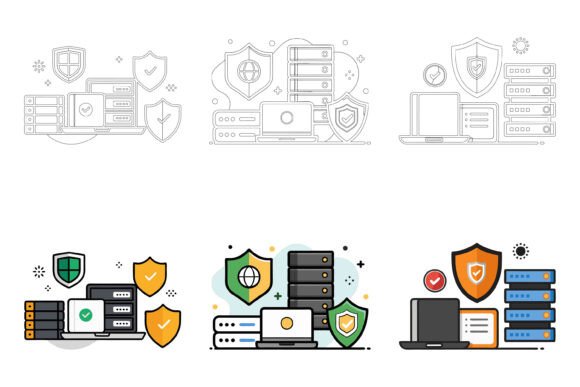
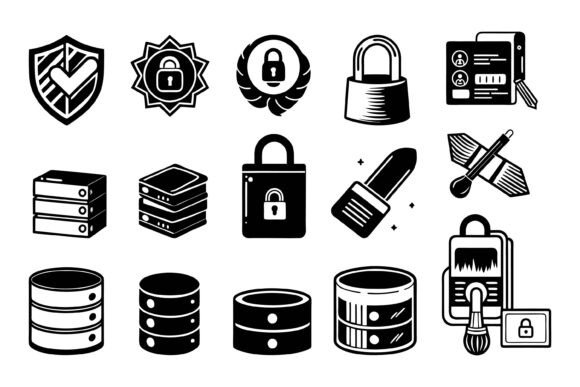
Concepts like encryption, access control, and secure connections are often easier to grasp when paired with clear visuals. Whether you are designing an app interface, building a training module, or illustrating a blog post, having access to editable, high-quality graphics can make a noticeable difference in engagement and comprehension. A dedicated data security illustration set that is organized with perfection in details and consistency lets you maintain a professional look without spending days in design software.
Such a collection typically includes multiple file formats so you can drop assets into presentations, websites, or printed materials without conversion headaches. The layered structure means you can isolate individual symbols, recolor them with a few clicks, or combine elements to create entirely new compositions. For creators who need to adapt graphics for different applications — from app icons to conference posters — this flexibility is invaluable. And because the files are compatible with both Mac and Windows, teams with mixed setups avoid frustration.
Is a Focus on Data Security Right for You?
Many people wonder whether they really need to care about data security if they aren’t handling credit card numbers or medical records. The truth is that almost everyone has something worth protecting, even if it’s just personal correspondence, family photos, or handwritten notes for a future book. The key is to match your effort to your actual risks and your comfort level with technology.
If you handle client work regularly, the simple practices outlined here can become a competitive advantage. When clients see that you store files securely and respect confidentiality, they feel safer recommending your services. If you are a hobbyist or a learner, exploring data security gradually can spark new interests in how digital systems work and how visual communication can make complex ideas feel approachable.
For those who teach, design, or publish content about technology, having a ready-to-use AI EPS illustration set specifically crafted around data security themes can fill a real gap. You get to focus on the story you want to tell while the visuals do the heavy work of making abstract ideas tangible. The flexibility to edit colors, remodel icons, and repurpose graphics across different media means your investment in such a collection continues to pay off as your projects evolve.
Ultimately, data security is not just a set of rules — it is an ongoing practice grounded in awareness, tools, and sensible habits. By understanding your own priorities and the resources available, you can make smart decisions that protect the information that matters most to you, your clients, and your audience.